 goweii/AnyLayer
Download
Step 1. Add the JitPack repository to your build file
Add it in your root settings.gradle at the end of repositories:
	dependencyResolutionManagement {
		repositoriesMode.set(RepositoriesMode.FAIL_ON_PROJECT_REPOS)
		repositories {
			mavenCentral()
			maven { url 'https://jitpack.io' }
		}
	}
Add it in your settings.gradle.kts at the end of repositories:
	dependencyResolutionManagement {
		repositoriesMode.set(RepositoriesMode.FAIL_ON_PROJECT_REPOS)
		repositories {
			mavenCentral()
			maven { url = uri("https://jitpack.io") }
		}
	}
Add to pom.xml
	<repositories>
		<repository>
		    <id>jitpack.io</id>
		    <url>https://jitpack.io</url>
		</repository>
	</repositories>
Add it in your build.sbt at the end of resolvers:
resolvers += "jitpack" at "https://jitpack.io"
Add it in your project.clj at the end of repositories:
:repositories [["jitpack" "https://jitpack.io"]]
Step 2. Add the dependency
	dependencies {
		implementation 'com.github.goweii:anylayer:5.0.0-beta3'
	}
dependencies {
implementation("com.github.goweii:anylayer:5.0.0-beta3")
} <dependency>
<groupId>com.github.goweii</groupId>
<artifactId>anylayer</artifactId>
<version>5.0.0-beta3</version>
</dependency>
libraryDependencies += "com.github.goweii" % "anylayer" % "5.0.0-beta3"
:dependencies [[com.github.goweii/anylayer "5.0.0-beta3"]]
Readme
⚠️注意
项目已进行重构,将不再开发新功能,仅稳定性维护。
新项目地址Layer
AnyLayer






Android稳定高效的浮层创建管理框架。
浮层就是一个悬浮在其他View之上的View。通过使用代码动态控制View的添加和移除,可以实现例如Dialog/Popup/BottomSheet等弹窗,引导层,悬浮按钮,浮动通知,吐司等各种效果。
已实现的效果如下:
- Dialog/BottomSheet效果
- Popup效果
- Toast效果
- Guide效果
- Overlay效果
- Notification效果
如何集成
添加仓库
maven { url "https://www.jitpack.io" }

// 使用4.1.5和4.1.6必须添加,因高斯模糊用到的VisualEffect库暂时只发布在gitee仓库
// maven { url "https://gitee.com/goweii/maven-repository/raw/master/releases/" }
添加依赖
// 完整引入
implementation "com.github.goweii:AnyLayer:$version"

// 按需引入
// 基础库
// implementation "com.github.goweii.AnyLayer:anylayer:$version"
// 扩展库(依赖基础库)
// implementation "com.github.goweii.AnyLayer:anylayer-ext:$version"
// Kotlin扩展库(依赖基础库和扩展库)
// implementation "com.github.goweii.AnyLayer:anylayer-ktx:$version"
// 自动初始化(依赖基础库和Jetpack Startup)
// implementation "com.github.goweii.AnyLayer:anylayer-startup:$version"
问题建议
这几个依赖有啥区别?
- anylayer:核心功能,所有浮层效果的实现
- anylayer-ext:扩展功能,比如通用的动画实现和监听器的默认实现
- anylayer-ktx:Kotlin扩展,方便再kt环境实现链式调用
- anylayer-startup:Jetpack App Startup实现
报错ClassNotFoundException: Didn't find class androidx.startup.InitializationProvider?
anylayer-startup依赖于Jetpack App Startup,需要自行引入androidx.startup依赖。而且Jetpack Startup仅支持androidx,如果引用的是x.x.x-support需要自己在application初始化
为什么无法下载visualeffect相关依赖?
因为4.1.5和4.1.6用于实现背景高斯模糊的VisualEffect库暂时只发布在gitee仓库,需要加下gitee仓库,或者更新4.1.7之后版本。还是建议更新4.1.7之后版本,因为gitee仓库可能被封!
maven { url "https://gitee.com/goweii/maven-repository/raw/master/releases/" }
5.0.0版本怎么还没发正式版?
5.0.0版本不会发正式版了。因为5.0.0版本主要做的是一些重构,但是因为重构导致api和依赖方式变化太大,大版本号更新也没法表示这个变动之大。所以后面我又新起了一个项目去搞(新项目地址Layer)。而且新项目Layer已经发布正式版,欢迎大家迁移体验。 还有就是这个项目不会再开发新功能,只进行稳定性维护,实在没精力搞同时维护这么多开源项目了。
使用说明
截图
| 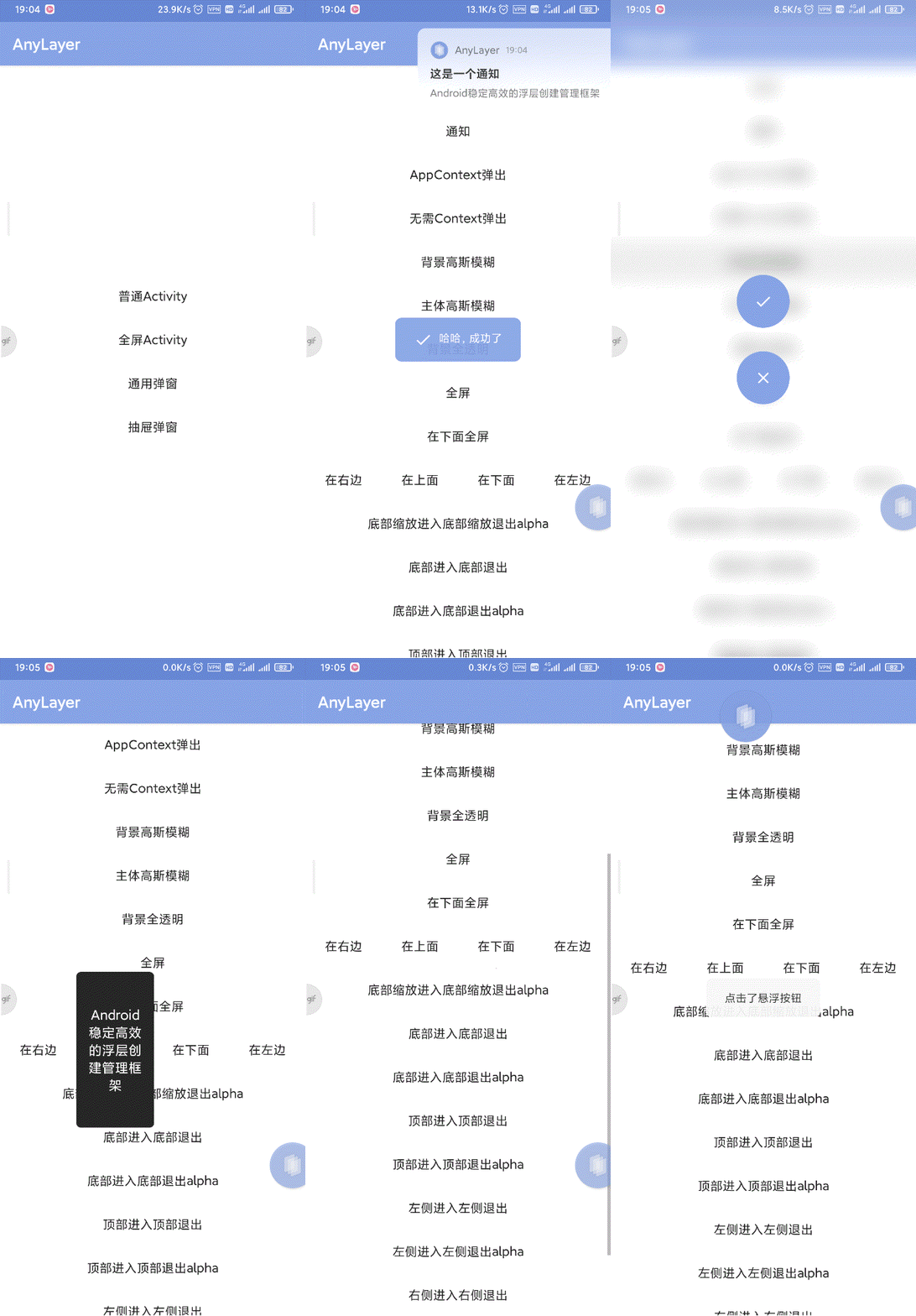 |
| 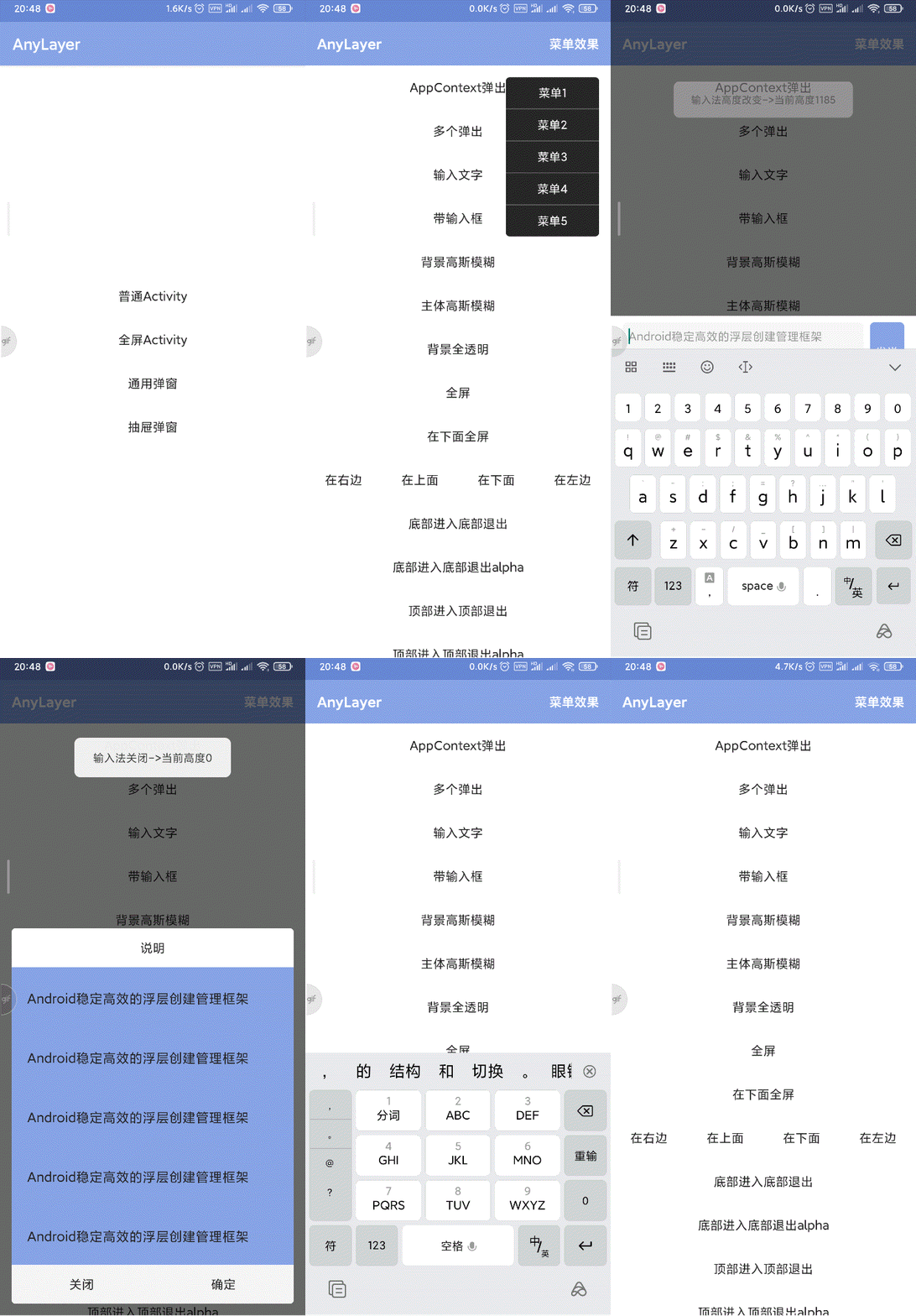 |
| 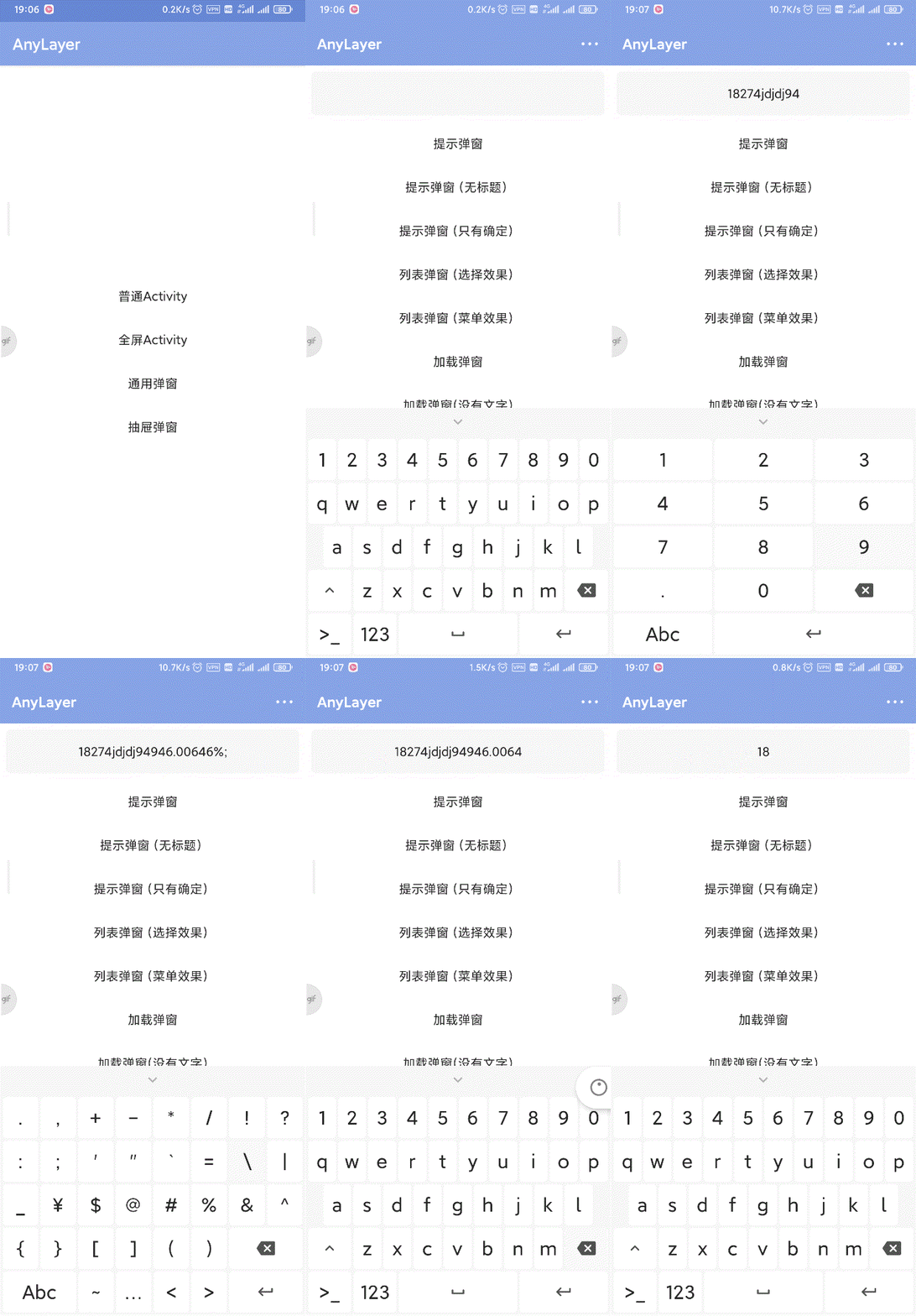 |
| 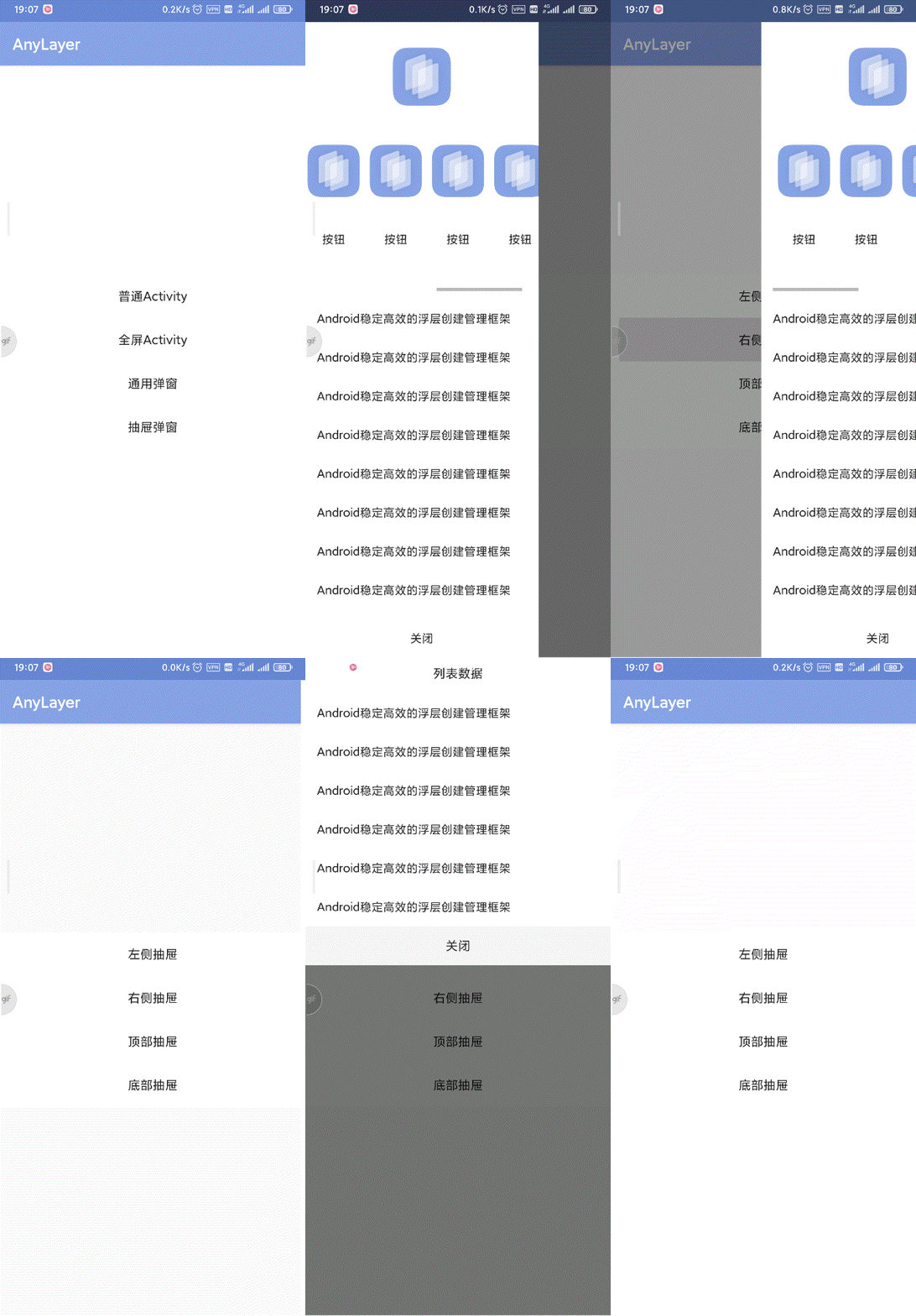 |
| --- | --- | --- | --- |
| | | | |
|
| --- | --- | --- | --- |
| | | | |
文档
使用该库的产品
如果你的产品正在使用AnyLayer,欢迎留下相关信息
这些信息将用来帮助更多开发者关注并使用本框架,增加框架的活跃度。而高活跃度则意味着更多隐藏BUG被发现并修复,即活跃度等同于框架的健壮性。同时这也是我维护项目的最大动力,感谢。
| APP名 | APP图标 | 公司名 |
| :--: | :--: | :--: |
| 玩安卓 |  | 个人 |
| 熊猫淘学 |
| 个人 |
| 熊猫淘学 |  | 西安熊猫宝宝网络科技有限公司 |
| MBA大师 |
| 西安熊猫宝宝网络科技有限公司 |
| MBA大师 |  | MBA大师 |
如何贡献
非常欢迎你的加入!提一个 Issue 或者提交一个 Pull Request。
如何赞赏
如果你觉得还不错,就请我喝杯咖啡吧~
|  | | |
|---|---|---|
| | | |
| | |
|---|---|---|
| | | |