 poldz123/ShapeRipple
Download
Step 1. Add the JitPack repository to your build file
Add it in your root settings.gradle at the end of repositories:
	dependencyResolutionManagement {
		repositoriesMode.set(RepositoriesMode.FAIL_ON_PROJECT_REPOS)
		repositories {
			mavenCentral()
			maven { url 'https://jitpack.io' }
		}
	}
Add it in your settings.gradle.kts at the end of repositories:
	dependencyResolutionManagement {
		repositoriesMode.set(RepositoriesMode.FAIL_ON_PROJECT_REPOS)
		repositories {
			mavenCentral()
			maven { url = uri("https://jitpack.io") }
		}
	}
Add to pom.xml
	<repositories>
		<repository>
		    <id>jitpack.io</id>
		    <url>https://jitpack.io</url>
		</repository>
	</repositories>
Add it in your build.sbt at the end of resolvers:
resolvers += "jitpack" at "https://jitpack.io"
Add it in your project.clj at the end of repositories:
:repositories [["jitpack" "https://jitpack.io"]]
Step 2. Add the dependency
	dependencies {
		implementation 'com.github.poldz123:ShapeRipple:1.0.0'
	}
dependencies {
implementation("com.github.poldz123:ShapeRipple:1.0.0")
} <dependency>
<groupId>com.github.poldz123</groupId>
<artifactId>ShapeRipple</artifactId>
<version>1.0.0</version>
</dependency>
libraryDependencies += "com.github.poldz123" % "ShapeRipple" % "1.0.0"
:dependencies [[com.github.poldz123/ShapeRipple "1.0.0"]]
Readme





Shape Ripple is a library that emulates a ripple like animations with cool tweaks on the go. It runs on API level 11 and upwards.
As addition you can even create your own shape renderer through the canvas to create a custom shape ripple.
Demo
For a brief overview of the library you can download the app in Google PlayStore Shape Ripple apk and try it out. The apk code for this demo app is located in the ShapeRippleExample folder
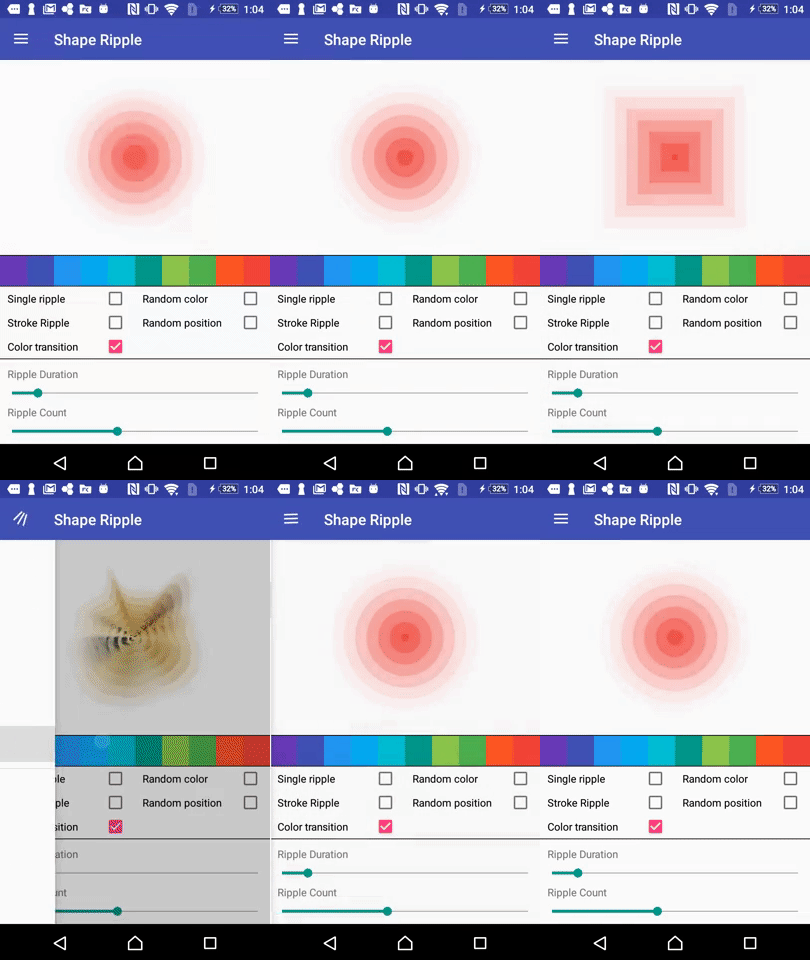
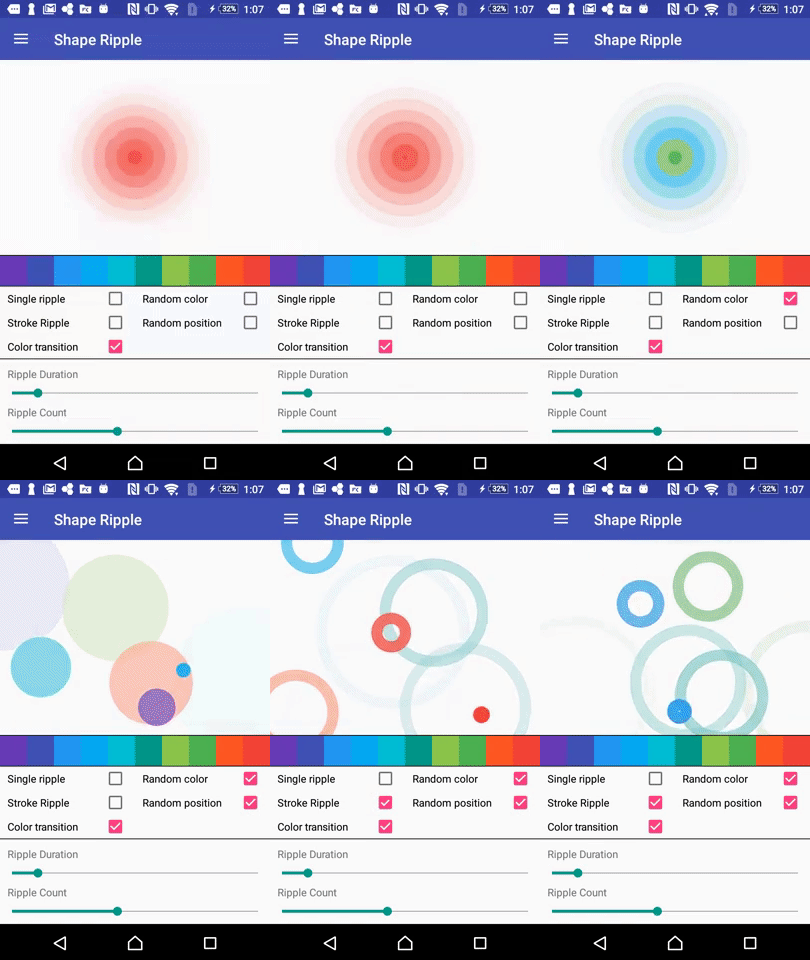
Features
- Ripple effect
- Random ripple colors
- Random ripple position
- Stroke or Filled Ripple
- Loaded with 5 different shapes
- Create customizable shapes
- Modify duration and interval of ripples
All Available Attributes
Attributes | Effect
------------ | -------------
ripple_color | color color of the base ripple
enable_single_ripple | boolean flag for enabling the single ripple only
ripple_duration | millisecond the duration of each ripple animation
enable_color_transition | boolean flag for enabling the color transition
enable_random_position | boolean flag for enabling the random positining of ripple in the view
enable_random_color | boolean flag for enabling the random coloring for each ripple
enable_stroke_style | boolean flag for enabling the stroke style for each ripple
ripple_from_color | color starting color for the color transition of the ripple
ripple_to_color | color end color for the color transition of the ripple
ripple_stroke_width | dimension base stroke width for each of the ripple
ripple_maximum_radius | dimension maximum radius of each of the ripples
ripple_count | integer number of ripples to be rendered
Customizing Ripples
Customizing the ripple is easy. You can create a class that extends BaseShapeRipple and fill out the:
onSetup(Context context, Paint shapePaint)
- This is called only once before any rendering happens, good for loading data/resources.
onDraw(Canvas canvas, int x, int y, float radiusSize, int color, int rippleIndex, Paint shapePaint)
- This draws the actual ripple to the canvas. You can create your custom shapes here whatever you want.
For full documentation of the of the methods above go the the BaseShapeRipple class.
Usage
You can select which options you want to use:
1. JCenter dependency(Recommended)
- Add it to your app
build.gradle:
dependencies {
    compile 'com.rodolfonavalon:ShapeRippleLibrary:1.0.0'
}
2. Gradle maven dependency
- Add it to your app
build.gradle:
repositories {
    maven {
        url 'https://dl.bintray.com/poldz123/maven/'
    }
}

...

dependencies {
    compile 'com.rodolfonavalon:ShapeRippleLibrary:1.0.0'
}
3. arr file only
- Down the latest arr file from the release section
- Copy the latest arr file to your
libsfolder of your Android Application - Start using the library
4. Clone whole repository
- Open your commandline-input and navigate to the desired destination folder on your machine (where you want to place the library)
- Use the command
https://github.com/poldz123/ShapeRipple.gitto download the full ShapeRipple repository to your computer (this includes the folder of the library as well as the folder of the example project) - Import the library folder (
ShapeRippleLibrary) into Android Studio (recommended) or your Eclipse workspace - Add it as a reference to your project:
License
Copyright 2016 Rodolfo Navalon
Licensed under the Apache License, Version 2.0 (the "License"); you may not use this file except in compliance with the License. You may obtain a copy of the License at
http://www.apache.org/licenses/LICENSE-2.0
Unless required by applicable law or agreed to in writing, software distributed under the License is distributed on an "AS IS" BASIS, WITHOUT WARRANTIES OR CONDITIONS OF ANY KIND, either express or implied. See the License for the specific language governing permissions and limitations under the License.